The Best LMS Plugins for WordPress for online courses keeps growing, and choosing the right plugin matters more than ever. This guide walks through the five best LMS plugins for WordPress that I tested hands-on in 2026.
I focused on what the free versions actually deliver, where they start to break, and when a premium upgrade makes sense. If you want a fast-start site, a subscription-driven academy, or a WooCommerce-native solution, this breakdown will save you hours of testing and a lot of frustration.
Throughout this article I have done practical setup tips, scaling caveats, and honest tradeoffs so you can pick the right LMS quickly. If your goal is to evaluate the Best LMS Plugins for WordPress, read on. I tested Tutor LMS, LifterLMS, Sensei LMS, LearnPress, and Masteriyo.
All five are solid choices, but they fit different needs.
I have listed out best wordpress LMS plugins which can easily allow you to sell and create courses on your website. All you have to do is just install these plugins and the rest of the work will be automatically done.
What is a WordPress LMS plugin?
WordPress Learning Management System or LMS plugin transforms your wordpress website into an e-learning platform with functionalities to add courses, create quizzes, assignments, certificates, students management and accept payments with various payment methods.
Many elements plugins also offer some advanced features such as gamification, incentives, live chatting, drop content, email marketing, mobile app and third party integrations.
With the help of these plugins you can easily create text based courses, video courses and offer easy digital downloads.
What to look for when choosing the Best LMS Plugins for WordPress
Before we dive into the five plugins, a quick checklist to narrow choices. Not every online course needs certificates, analytics, or drip content. But every site needs clean course creation, simple payments, and reliable student access. Use this list to map your requirements before you compare features.
- Ease of course creation and editing
- Supported payment methods in the free plan
- Drip scheduling and course access controls
- Certificates, quizzes, and grading options
- Integration with email and marketing tools
- Performance with many courses and many students
- Theme compatibility and layout flexibility
- Long term cost versus your expected revenue
Keep this checklist in mind while reading each plugin section below. If you are comparing the Best LMS Plugins for WordPress, these criteria will help you filter fast.
List of Best WordPress LMS Plugins
| Plugin | Pricing | Free Plan | Link |
|---|---|---|---|
| MasterStudy LMS Pro | $149 Lifetime Deal | ✔️ | VISIT |
| Tutor LMS | $499 Lifetime Deal | ✔️ | VISIT |
| Learnpress | $299 Yearly | ✔️ | VISIT |
| LifterLMS | $199 Yearly | ✔️ | VISIT |
| MemberPress | $179.5 Yearly | ❌ | VISIT |
| LearnDash | $199 Yearly | ❌ | VISIT |
| Sensei LMS | $179 Yearly | ✔️ | VISIT |
| WP Courseware | $129 Yearly | ❌ | VISIT |
| Academy LMS | $119 Yearly | ✔️ | VISIT |
| Namaste LMS | $67 Yearly | ✔️ | VISIT |
Quick summary of WordPress LMS Plugins
Here is a short snapshot to orient you. I expand on each plugin in dedicated sections that follow.
- Masterstudy LMS – Offer evreything which needed to create, sell, and scale your online academy or courses.
- Tutor LMS — Fast to launch, modern UI, free Stripe and PayPal, pro unlocks certificates and advanced tracking.
- LifterLMS — Built for membership and bundles, powerful access control, needs paid payment add-ons.
- Sensei LMS — Best fit when you already use WooCommerce, closely integrated checkout and course-product model.
- LearnPress — Veteran option, modular, inexpensive if you want lifetime add-ons, but old-school UI and compatibility tinkering required.
- Masteriyo — Modern, fast, single-screen editing, free payments, pro adds certificates, drip, and analytics.
This article focuses on the practical strengths and weaknesses I found while building real course sites. If you are serious about picking one of the Best LMS Plugins for WordPress, read each section and then check the recommendation at the end based on common use cases.
Best WordPress Lms Plugins (2026)
1. MasterStudy LMS (Free & Paid)
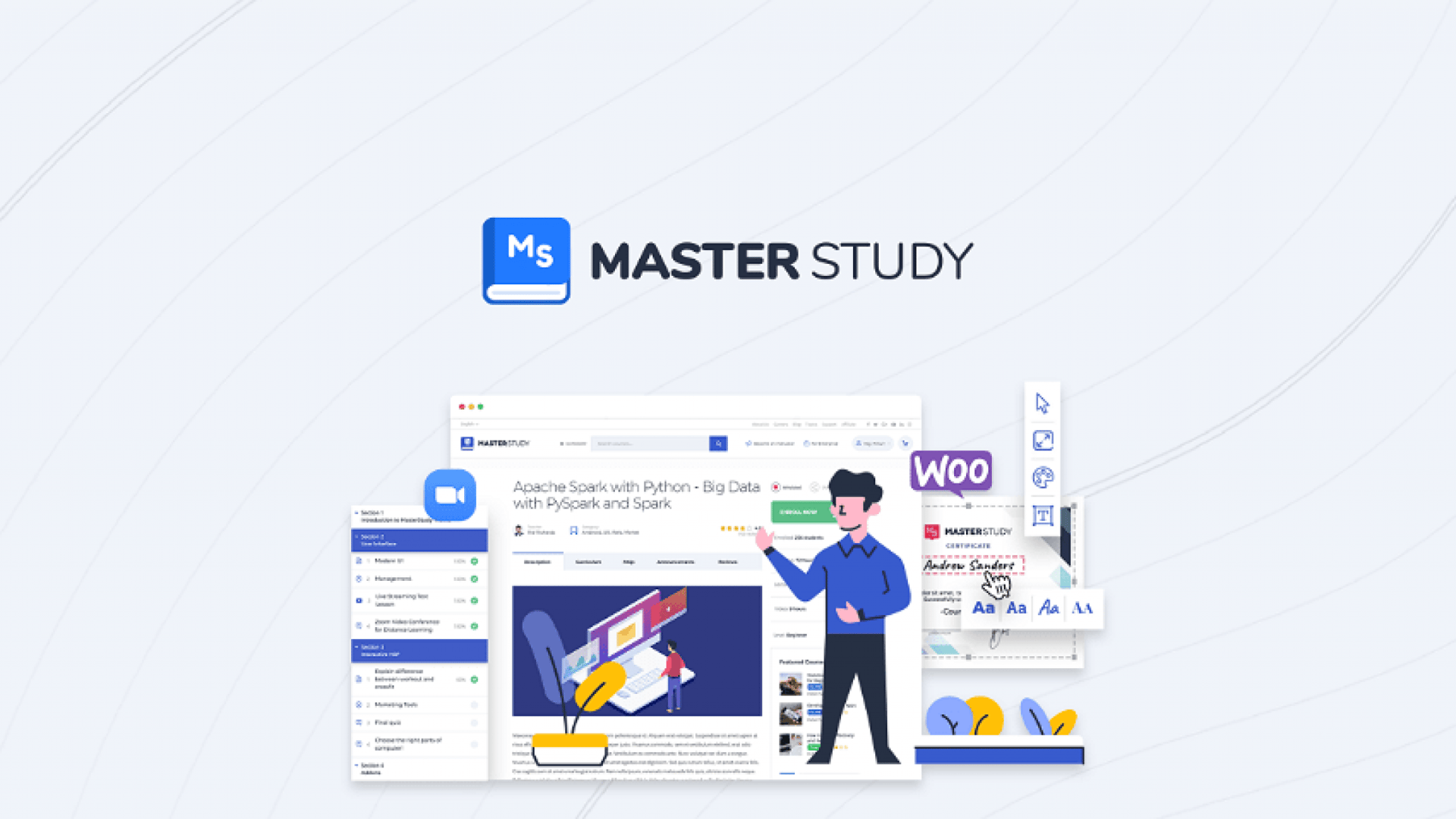
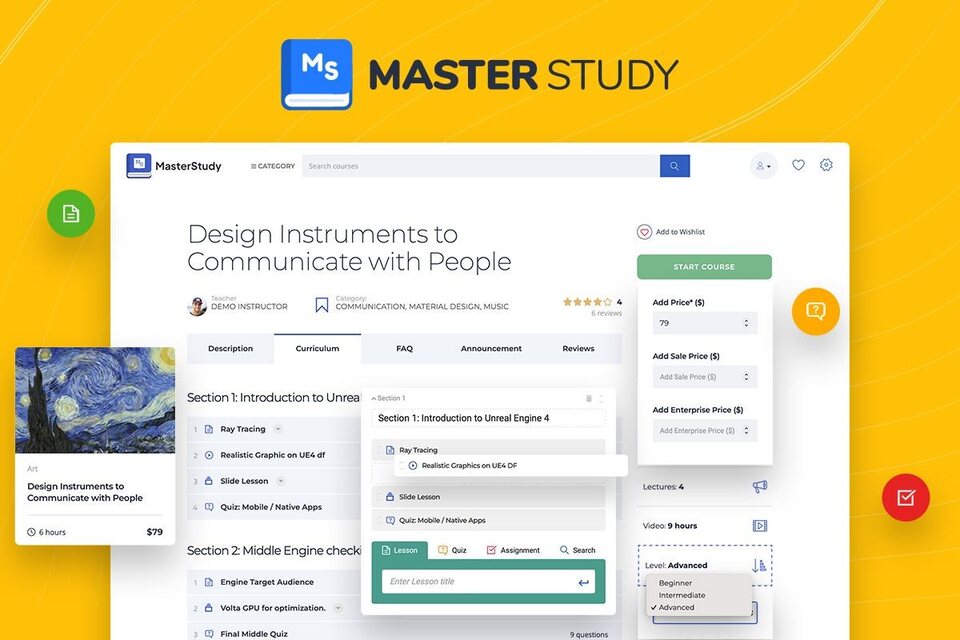
Masterstudy is a WordPress online course plugin developed by Stylemixthemes that turns your website into an online teaching portal.
It offers a comprehensive set of features, including a front-end course builder, live classes, mobile app version, payment gateway, and customizable design.
The plugin also integrates with many popular third-party tools and services. It is a user-friendly and powerful tool for creating and managing online courses.
It’s one of the best lms plugin for wordpress.
Key Features of This WordPress Course Plugin
- User-friendly course builder: Create courses, lessons, quizzes, contests, and assignments easily without coding skills.
- Live classes: Conduct real-time online classes and webinars with integrated Zoom feature.
- Mobile app version: Manage and update course content on the go with seamless Android and iOS app sync.
- Payment gateway: Monetize courses by selling directly on the website with built-in payment gateway supporting multiple payment methods.
- Customizable design: Customize the look and feel of courses and pages with pre-designed templates or drag-and-drop interface.
- Third-party integrations: Integrates with popular third-party tools and services like Mailchimp, Zapier, WooCommerce, and BuddyPress.
- User management: Manage student profiles, track progress, and view grades and achievements.
- Advanced quiz options: Offer multiple choice, fill-in-the-blank, and matching questions, and set time limits and pass/fail criteria for quizzes.
- Custom certificates: Create branded and personalized certificates for students who complete courses.
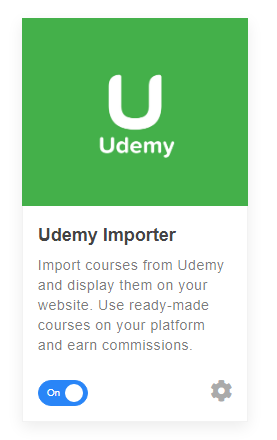
- Udemy Importer: Using this add-on users can import their courses in wordpress from udemy platform.
Pricing & Plans: Masterstudy Pro Plugin
Masterstudy offer multiple license plans starting from $59/year for 1 site with all features and pro add-ons. Plus Masterstudy lifetime plans also available from $149 one-time payment for 1 site.
| Plan | Annual | Lifetime |
| 1 Site | $59/year | $149 |
| 5 Sites | $149/year | $399 |
| Unlimited | $299/year | $799 |
Free plan
Masterstudy lms free plugin license also available but with very limited features access.
2. Tutor LMS
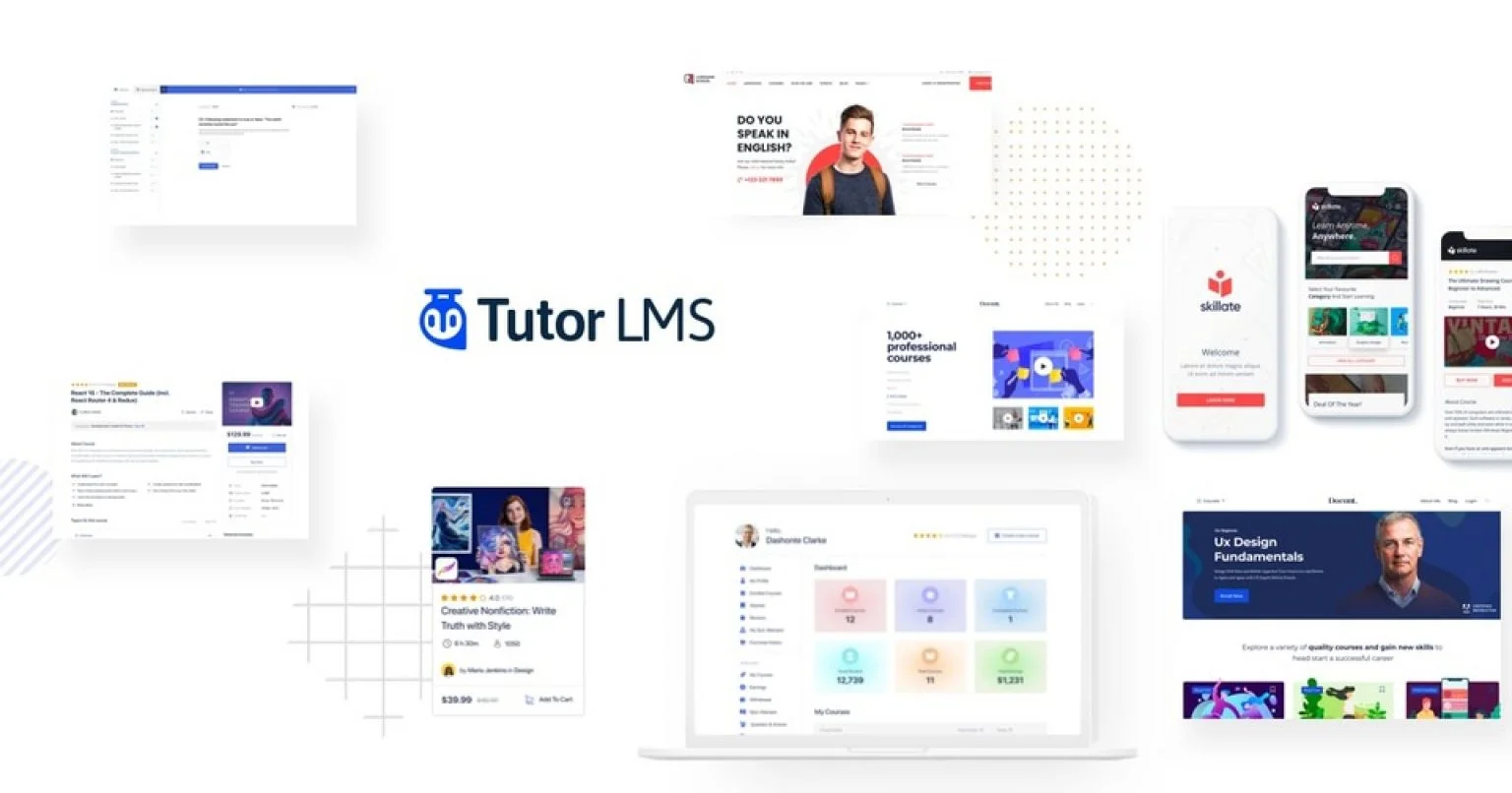
Tutor LMS is the plugin that gets most non-technical creators moving the fastest. If you want to go from zero to a working course with lessons, quizzes, and payments in under an hour, Tutor LMS is one of the Best LMS Plugins for WordPress to consider. It feels modern, clean, and not overwhelming.
Why you might pick Tutor LMS
- Quick setup and polished onboarding
- Intuitive course editor and lesson builder
- Stripe and PayPal built into the free plan for selling courses
- Clean front-end student experience
For a solo instructor launching a handful of courses, Tutor LMS is especially attractive because you do not get gated behind a pay wall for basic commerce. The free version allows placing a price on a course and accepting payments using PayPal or Stripe. That keeps your first months low cost and stress free.
Where Tutor LMS starts to show limits
- Certificates, detailed progress tracking, and time-limited sessions are Pro features
- Dashboard performance can degrade as you scale beyond ten courses or a large student base
If you plan to build dozens of courses and expect hundreds of active learners, you may need to optimize your hosting and consider the Pro plan. Tutor LMS Pro runs around $199 per year and unlocks certifications, better reporting, and advanced monetization options. For many creators the upgrade is worth it once courses bring steady revenue.
Practical tip: start on the free plan so you can test the course creation flow and checkout experience. If you like the UI and your first sales arrive, moving to the $199 per year pro plan gives you more tools without completely changing the interface you already learned.
Pricing & Plans: Tutor 2.0
Tutor offer annual as well as lifetime plan, annual pricing starts from $199/year for 1 site and for lifetime plan it is $199.
Free plan
Along with premium plans, tutor lms free plan also available with limited features. Front end course builder not include in free plan.
3. LifterLMS — Built for membership and recurring revenue
LifterLMS is not the launch-in-ten-minutes option. It is the build-a-real-learning-business option. If you want membership tiers, bundles, gated learning paths, and heavy control over how students move through content, LifterLMS is among the Best LMS Plugins for WordPress designed for that model.
Where LifterLMS shines
- Fine grained access control and gated sequences
- Built-in membership and bundle capabilities without external plugins
- Solid reliability under heavy traffic
The key selling point of LifterLMS is control. You can require a student to complete Course A before Course B unlocks. You can sell memberships with recurring billing options and create complex bundles. If your business model depends on subscriptions and long term student retention, LifterLMS supports that directly.
Caveats with LifterLMS
- Setup takes time and requires an afternoon or more to wire lessons, access plans, and memberships properly
- Payments are not free; you must purchase payment gateway add-ons to accept Stripe or PayPal
- Buying multiple paid add-ons can raise annual costs
Price & Plans:
LifterLMS pricing starts from $199 for 1 website and it’s also offer 30 days trial in only $1 with 30 days money back guarantee if you not satisfied.
Sadly, It doesn’t have any LTD plans.
| Plan | Annual Pricing |
|---|---|
| 1 Site | $199/year |
| 5 Sites | $360/year |
| Unlimited | $1200/year |
Free Plan
Although it has plugin is free but to use all add-ons you have to go with pro plan.
Practical tip: use LifterLMS when you want memberships as the primary revenue strategy. Start with the free core to design your course and membership structure. Move to the bundle once you want a production-ready payment flow.
4. Sensei LMS — The natural choice if you already use WooCommerce
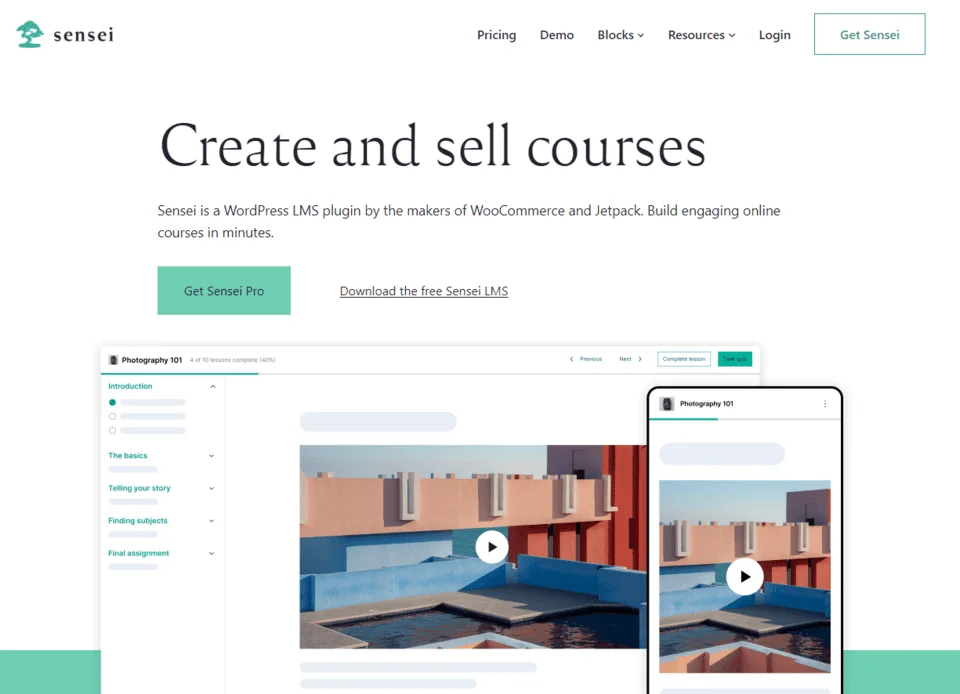
Sensei LMS sits naturally next to WooCommerce. If your WordPress site is already a store or you want to treat courses as products, Sensei is one of the Best LMS Plugins for WordPress that plays in the same ecosystem as WooCommerce. It uses WooCommerce products to handle checkout, inventory, and extensions, so checkout is familiar.
Advantages of Sensei LMS
- Seamless checkout when you already run WooCommerce
- Learning mode provides a distraction-free lesson experience
- Safe, drama-free updates and compatibility within the WooCommerce ecosystem
If you use WooCommerce for physical goods, it is a big plus to reuse the same payment stack for courses. Link a course to a WooCommerce product, set a price, and students purchase in a familiar way. Learning mode turns lessons into a focused reading experience that students appreciate.
Limitations of Sensei LMS
- Many advanced features are paid extensions, including certificates, detailed grading, and analytics
- Course page design is somewhat opinionated; full layout control requires custom CSS or theme compatibility work
- If you do not already use WooCommerce, Sensei can feel like more setup than you need
Price & Plans:
Sensai LMS offer 2 annual subscription plans ‘Pro’ & ‘Bundle’. No Lifetime plans available.
- Pro Plan – It’s price is $179 for plugin and premium add-ons.
- Bundle Plan – This plan comes with cloud hosting bundle including pro plan.
Free Plan
Sensai LMS also has free plan to create unlimited courses, certificate builder, learning mode etc.
Helpful read for comparing WooCommerce integrated LMS options: https://saas-guru.info/funnelkit-vs-cartflows/
5. LearnPress — The veteran choice for modular control and low long term costs
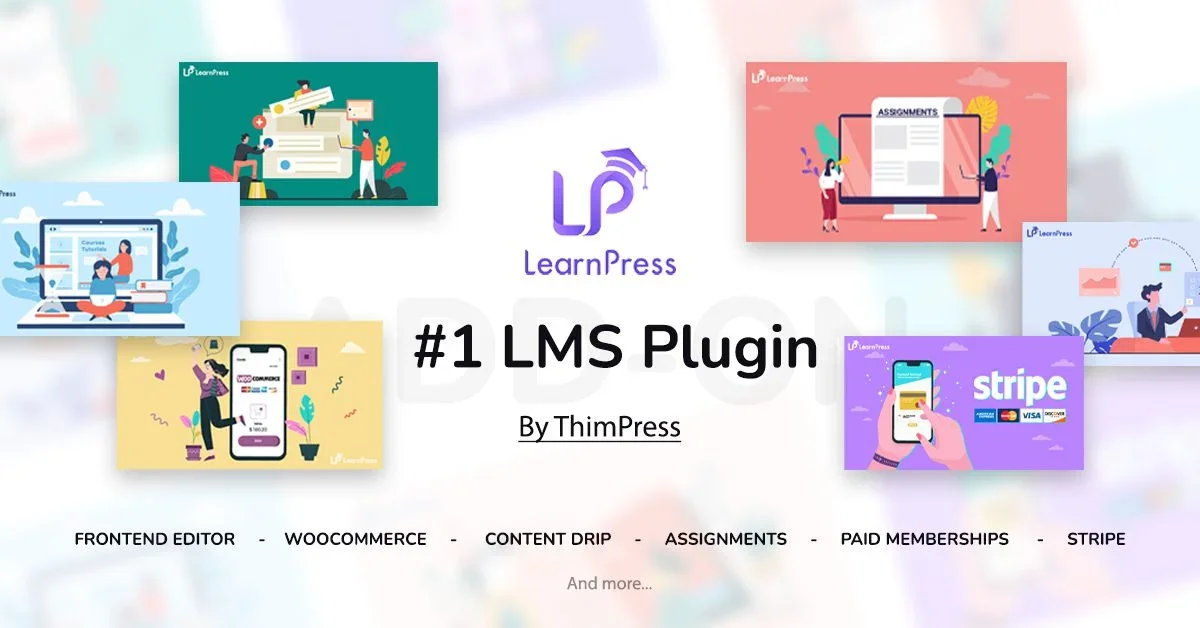
LearnPress is one of the oldest LMS plugins on WordPress. It is not flashy, but it earns points for flexibility and low running costs if you are willing to tinker. LearnPress is modular, letting you install only the add-ons you need, and you can ship a real course without paying for trials or fake limitations.
Learnpress boasts all the essential features for online learning along with visually pleasing course designs. Created by Thimpress, it is one of the Best WordPress LMS Plugins with over 266,600 active installations.
Strengths of LearnPress
- Full course features available in the free core
- Modular add-ons for certificates, prerequisites, co-instructors, and more
- Pro bundle offers lifetime access to all add-ons for a single fee
The pro bundle is attractive if you plan to commit to a single LMS for years. For a one-time cost of about $249 lifetime for the bundle, you get a predictable spend that is often cheaper over time than annual subscriptions.
Tradeoffs with LearnPress
- Interface feels old school
- Stacking many add-ons can make the admin messy and require performance tuning
- Theme compatibility may need extra tweaks; expect some trial and error
If you enjoy building your stack and prefer a lower annual spend, LearnPress is an excellent candidate among the Best LMS Plugins for WordPress. It is particularly good for agencies or developers who like modular systems and want lifetime access without an annual bill.
Pricing & Plans: Learnpress
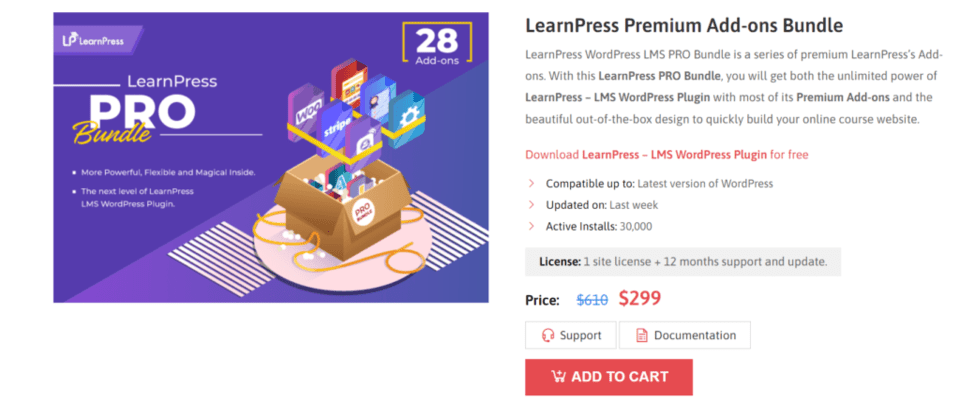
First of all Learnpress don’t offer any lifetime plan at all. And cost of learnpress is $299/year for 1 site.
Free plan
Although it’s plugin is free but using all 28 add-ons you have buy them in bundle or separately.
Explore comparisons that include LearnPress: https://saas-guru.info/learndash-vs-tutor-lms-vs-learnpress/ and https://saas-guru.info/masterstudy-lms-vs-learnpress/
6. LifterLMS (Free & Paid)

Lifter WordPress plugin offer advance features to create and sell online courses. While the plugin’s basic version is free, you can access premium features via addons buying the paid package.
Users can also try the 30-day demo option for only $1. Throughout this duration, you’ll have full access to all the tools and features Lifter provides, allowing you to test its capabilities on a demo site hosted by the company.
Lifter offers various addons that allow you to customize your courses and integrate new functionalities to the plugin, making it easier to create and offer your courses online.
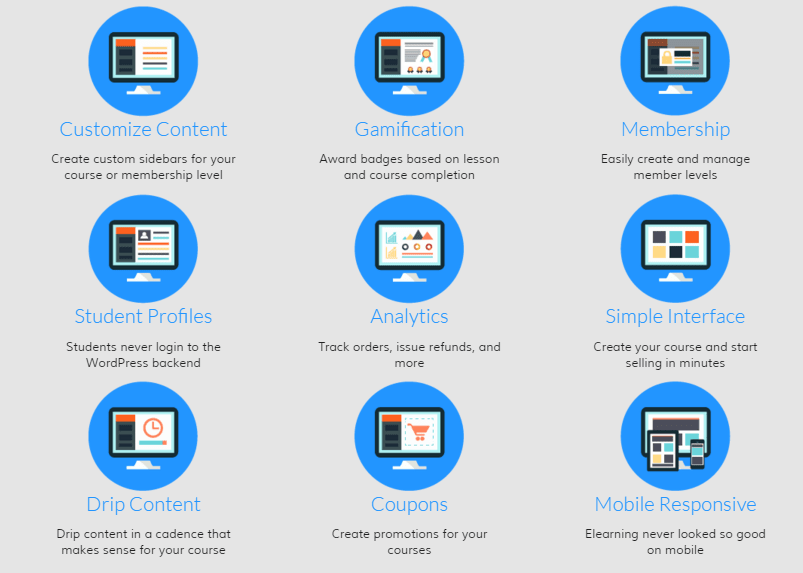
These addons can improve your students’ learning experience as well. All in all, if you wish to develop an eLearning or courses website on WordPress, LifterLMS is an excellent choice.
With its user-friendly interface and comprehensive features, creating compelling online courses and delivering them is a breeze.
Key Features of This WordPress Course Plugin
- Course creation tools including outlines, lesson planning, multimedia embedding, and student tracking
- Customizable course layout, multimedia content, and quizzes/assessments
- Promote courses with customizable landing pages, email marketing tools, and social media integrations
- Manage students with user registration, progress tracking, and analytics
- Payment integration with PayPal and Stripe, plus tax management, coupons, and refunds
- Addons to extend functionality with email marketing, membership management, payment methods, and advanced reporting/analytics.
Price & Plans:
LifterLMS pricing starts from $199 for 1 website and it’s also offer 30 days trial in only $1 with 30 days money back guarantee if you not satisfied.
Sadly, It doesn’t have any LTD plans.
| Plan | Annual Pricing |
|---|---|
| 1 Site | $199/year |
| 5 Sites | $360/year |
| Unlimited | $1200/year |
Free Plan
Although it has plugin is free but to use all add-ons you have to go with pro plan.
7. Masteriyo — The pleasant surprise with one-screen editing
Masteriyo surprised me. It feels modern in the ways some older plugins should. Quick edits happen on one screen without reloads, and that speed matters when you produce courses frequently. Masteriyo makes it fast to create lessons and quizzes, reuse content across courses, and accept payments in the free plan.
What I liked about Masteriyo
- Single-screen course builder with live edits and no page hopping
- Reuse lessons and quizzes across multiple courses to save time while scaling
- Built-in PayPal and Stripe payments in the free plan
Lesson reuse is the underrated feature here. When you manage multiple courses, being able to share quizzes or lessons saves hours each week. That alone makes Masteriyo one of the Best LMS Plugins for WordPress for creators who frequently update content or run multiple sites.
Where Masteriyo needs improvement
- Certificates, content drip, and deeper analytics are in the pro version
- Integrations are growing but not as broad as LifterLMS or Tutor LMS
- Automation scenarios are lighter than enterprise-grade LMS platforms
Masteriyo Pro starts at $199 per year and offers a lifetime $499 option for unlimited sites. If you manage multiple client sites or want to avoid annual renewals, the lifetime plan is a compelling buy. For single-site creators, the free plan plus a targeted pro add-on will often be sufficient.
8. Memberpress (Paid)
MemberPress is a top-notch WordPress membership plugin that offers various features including course development and selling.
The plugin comes with a Classroom Mode that simplifies course creation and a user-friendly interface for students.
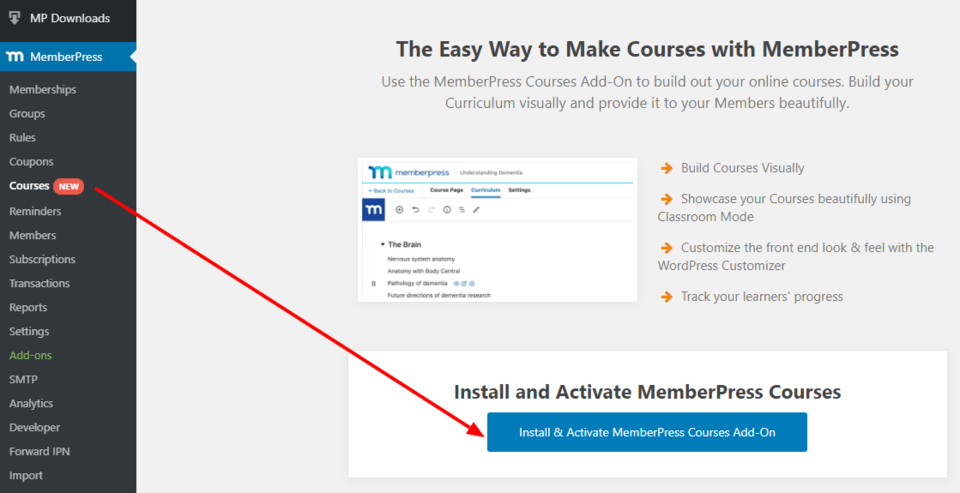
The course builder uses the WordPress block editor, making creating lessons and embedding multimedia content a breeze.
More advanced users can customize course designs with custom CSS support to give unique design through custom codes. MemberPress allows you to create free or paid courses and provides support for payment ways like PayPal and Stripe.
The plugin also includes content dripping and works with third-party tools like Google Analytics.
Key Features of This WordPress Course Plugin
- MemberPress allows for easy membership subscription management
- Course creation and management is simplified with built-in features
- Classroom Mode allows for easy online classroom creation without coding skills
- Course builder utilizes the WordPress block editor for ease of use
- Progress tracking of student progress is available from the WordPress dashboard
- Allows for creation of free courses or membership subscriptions for full control over course access
- Payment integration is available with popular payment methods.
- Content dripping can be used to schedule release of new content to keep members engaged
- Integrates with popular third-party tools such as Google Analytics and SendinBlue
- Offers content protection to prevent unauthorized access to courses.
Price & Plans: MemberPress
Membership course builder pricing starts from $179.50/year for 1 website and there is no lifetime deals.
| Plan | Annual Pricing |
|---|---|
| 1 Site | $179.5/year |
| 2 Sites | $269.50/year |
| 5 Sites | $319.60/year |
Free Plan
This WP course builder don’t offer any free plans or plugin.
9. LearnDash (Paid)
Learndash learning plugin offers an extensive platform for creating limitless courses, classes, and subjects, while also incorporating interactive features such as quizzes, tasks, and much more to your courses.
A notable aspect of LearnDash 3.0 is the capacity to impose one-time or recurring access fees for your courses.
It also offer advanced features like content dripping and course requirements, making it a heavyweight option for people tasked with developing and administering online courses on WordPress.
If you’re thinking of using LearnDash, perusing our comprehensive review can assist you in making an informed decision regarding whether it’s the right plug in for your needs.
Key Features of This WordPress Online Course Plugin
- LearnDash allows creation of unlimited courses, lessons, and topics with ease
- Drag-and-drop course builder for easy course creation
- Different types of content can be added, including videos, text, images, and audio
- Quizzes and assignments can be created to test learners’ knowledge
- Various question types can be added, such as multiple-choice, true or false, and essay questions
- Drip content feature allows gradual release of course content
- User-friendly dashboard for progress tracking, including grades and certificates
- Built-in monetization features let courses be sold for one-time fee or recurring subscription
- Certification and badge system to reward learners for completion of courses
- Customizable certificates and badges with set requirements for earners
- LearnDash is compatible with various WordPress themes and plugins, as well as popular payment ways such as PayPal and Stripe.
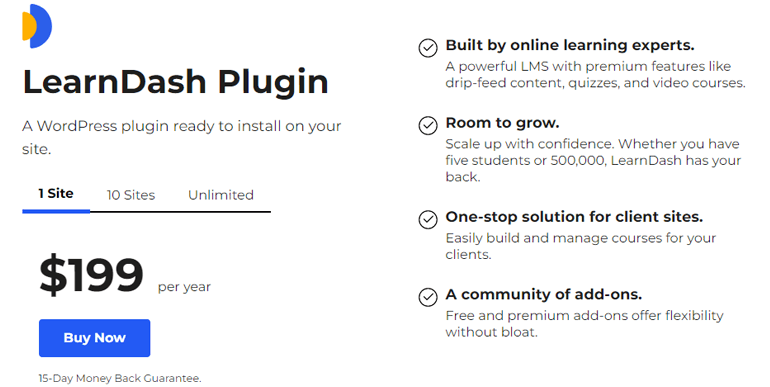
Price & Plans:
Learndash offer different price and plans for it’s wordpress plug in charges begin from $199/year for 1 website. No Lifetime plans available.
Free Plan
It doesn’t offer free plan or free license.
8. WP Courseware (Paid)

WP Courseware serves as an excellent Learning Management System (LMS) plugin, enabling users to generate online course content simply by using its user-friendly drag-and-drop course builder. Thus course building process becomes hassle-free with this efficient tool.
This WP lms first launched in 2012 and till now they have added more than 250+ features including, drip content, notification & email alerts, quizzes & surveys, certificate builder and many others.
Wp courseware compatible with most themes and plugins without any issues.
Key Features of This WordPress Online Course Plugin
- WP Courseware has a drag and drop course builder interface
- Quizzes and assignments can be created to test student knowledge
- Courses can be sold using payment gateways such as PayPal and Stripe
- Certificates can be offered for course completion
- Drip content can be scheduled to pace students
- Course progress can be tracked
- Compatible with various WordPress themes
- Membership integration with popular plugins such as MemberPress
- Highly customizable to meet branding requirements
- Dedicated support team available to assist with any issues or questions.
Price & Plans:
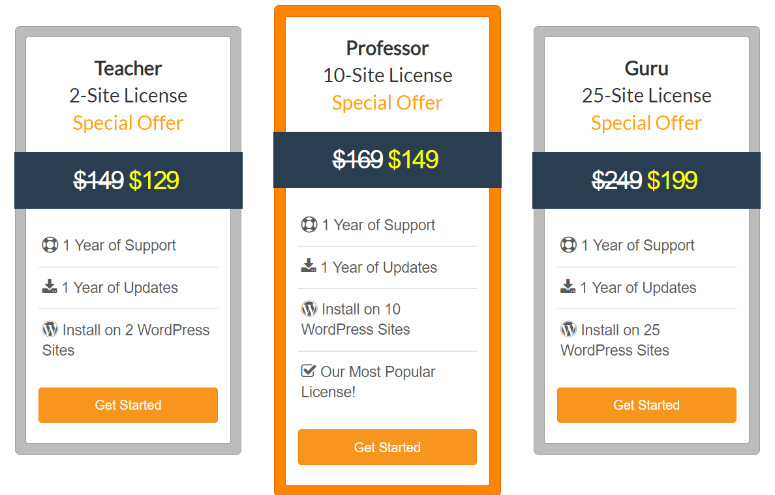
Wp Courseware has 3 plans starting from $129/year for 2 sites licenses. But it doesn’t offer any lifetime plan.
Free Plan
No free plan available.
9. Academy LMS (Free & Paid)

Academy LMS is a comprehensive learning management system plugin designed for WordPress.
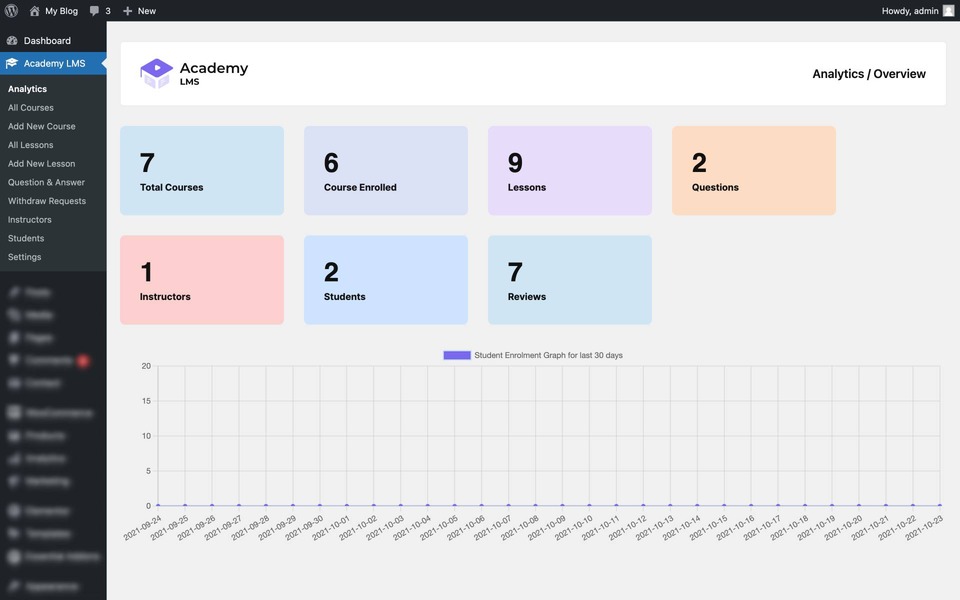
It offers advanced features to create and manage high-quality online courses. Academy Analytics provides data-driven insights to assess course efficiency and student performance.
Key Features of This Word Press LMS
- The course builder is robust and has next-generation features, including the ability to use a range of media such as texts, attachments, excerpts, and YouTube and Vimeo videos.
- Q&A system allows unlimited questions from students to instructors, who can answer them seamlessly through the system.
- Academy LMS has a certificate builder that enables administrators to award students on successful completion of their courses.
- This LMS plugin allows for multiple instructors to be assigned to preferred courses, and revenue can be shared among instructors and admins upon the sale of premium courses.
- The quiz builder feature makes it easy to create engaging quizzes alongside online courses, with unique question types, timers, and more.
- Plugin integrates seamlessly with WooCommerce, allowing administrators to sell premium courses and generate revenue through various payment gateways, including shopping carts, one-time purchases, lifetime access, and subscription models.
- Reports and analytics give detailed data on courses, students, instructors, and overall progress, student enrollment, and student retention.
- The plugin also offers advanced customization options to create unique style and performance needs.
Price & Plans: Academy LMS
Academy LMS has 3 annual plan starting from $119/year for 1 website and also offer Lifetime Deal for all 3 plans at $357 for 1 site license.
| Plan | Annual | Lifetime |
|---|---|---|
| 1 Site | $119/year | $357 |
| 10 Sites | $339/year | $717 |
| 50 Sites | $549/year | $1647 |
Free Plan
There’s also a free plan available to experience Academy lms features.
Feature comparison and decision matrix
Choosing between these five depends on what you prioritize. Below I break down the main decision points and map them to the plugin that best matches each need. If you are serious about picking the Best LMS Plugins for WordPress for your project, use this section to expedite the decision.
Fastest to launch
Tutor LMS and Masteriyo are fastest. Tutor LMS has polished onboarding and payments in the free plan. Masteriyo is similarly fast but shines when you edit often thanks to single-screen building.
Best for memberships and bundles
LifterLMS wins here. It was designed around memberships and bundled access from the beginning, so if recurring revenue is your priority, start with LifterLMS.
Best e-commerce integration
Sensei LMS is the most natural choice if you already use WooCommerce. It ties courses to products and uses the same checkout and payment logic.
Best for low long term costs
LearnPress offers a lifetime bundle that can be the cheapest option over a long horizon if you are comfortable with some tinkering and add-ons.
Best for frequent course updates and multi-site use
Masteriyo helps you move faster with lesson reuse and a modern editor. Its lifetime unlock is attractive if you manage multiple sites.
These quick mappings help narrow down the Best LMS Plugins for WordPress depending on your operational model.
How to pick the right plugin based on your business model
Not every course requires certificates, gamification, or built-in analytics. Match your plugin to your product and learner expectations.
- Single course, single launch — Use Tutor LMS or Masteriyo. Low cost and fast setup with free payments.
- Subscription academy — Use LifterLMS. Built-in membership controls and recurring billing focus.
- E-commerce first, courses as products — Use Sensei LMS if WooCommerce runs your store.
- Agency or long-term low cost — Use LearnPress and purchase a lifetime bundle once committed.
- Multiple sites or course reuse — Use Masteriyo and consider the lifetime plan for unlimited sites.
Choosing the right plugin also depends on your technical comfort. If you can write CSS and tweak templates, Sensei and LearnPress allow deeper customization. If you want a modern UI and low friction, Tutor LMS and Masteriyo will keep your sane during launch.
Common pitfalls I saw during testing
- Assuming free plugins include certificates or advanced grading. Many lock those in paid tiers.
- Forgetting to test payments in sandbox mode before launching live. Always run test transactions.
- Not checking theme compatibility. Even good LMS plugins can break layout if the site theme overrides templates.
- Underestimating performance impact when scaling to dozens of courses. Plan hosting upgrades and caching early.
- Relying on too many third party add-ons. Each added plugin increases maintenance and update risk.
These are the typical missteps when trying the Best LMS Plugins for WordPress without mapping your long term needs first.
Performance recommendations and hosting
An LMS runs like any other WordPress app: more users and more content means higher resource needs. If you plan to scale, prioritize hosting and speed optimization from the start. Use a good cache solution, optimize images, and consider a CDN for media-heavy courses.
My go-to speed tool is a lightweight optimization plugin that helps push page speed scores above 90. If you are looking for hosting tips and cache comparisons, check resources at https://saas-guru.info/rabbitloader-review/ and https://saas-guru.info/wp-rocket-vs-rabbitloader/
When comparing the Best LMS Plugins for WordPress, remember that plugin efficiency matters, but good hosting and caching matter more as you grow.
Integrations and marketing automation
All five plugins integrate with common email tools to some degree, but the depth varies. If you need advanced automation flows and webhooks, Tutor LMS and LifterLMS have a larger ecosystem of integrations.
Masteriyo is catching up, and LearnPress requires add-ons for tighter integrations. Sensei leverages WooCommerce extensions for commerce-related automations.
Also plan your student onboarding: integrate email sequences that welcome new students, provide lesson reminders, and reengage inactive learners. The choice of LMS affects how easy it is to feed student events into your CRM or marketing stack.
Cost planning: free vs pro vs lifetime
Cost is a practical decision. The free version of many plugins gets you started, but common paid unlocks include certificates, advanced quizzes, drip content, analytics, and priority support. Here is a quick cost overview:
- Tutor LMS — Free core, Pro around $199 per year
- LifterLMS — Free core, payment gateway add-ons from $99 each, bundles from $199 per year
- Sensei LMS — Free core, extensions from $49 to $149 per year
- LearnPress — Free core, pro bundle $249 lifetime
- Masteriyo — Free core, Pro $199 per year or $499 lifetime for unlimited sites
If you plan to operate long term, calculate three year costs and factor in hosting, email tool fees, and payment processing. For agencies or multi-site owners, lifetime licenses can offer dramatically lower costs over five years.
More on lifetime deals and WordPress licensing: https://saas-guru.info/wp-lifetime-deals/ and https://saas-guru.info/best-wordpress-lms-plugin-lifetime-deals/
Migration and future proofing
Think about portability when you pick a plugin. Some LMSs store content in standard post types and make export easier; others embed data in custom tables that complicate migration.
If you want escape hatches, choose plugins with clear export options, or plan to export student lists and course content periodically.
Also consider the plugin ecosystem. If a plugin has frequent updates, a large user base, and solid support, it is more likely to stay maintained. LifterLMS, Tutor LMS, and Sensei are backed by sizeable communities.
Masteriyo is growing fast and LearnPress remains popular for cost-conscious builders.
Checklist: What to test before you commit to a plugin
- Create a sample course with lessons, quizzes, and one assignment.
- Run a payment test using sandbox mode for Stripe or PayPal.
- Check the student experience by enrolling as a test user and using a mobile device.
- Test course access controls and prerequisite rules.
- Try exporting student data and course content.
- Install and test key integrations like email automation or CRM syncs.
- Simulate heavy usage with multiple test accounts to spot performance bottlenecks.
Completing this checklist helps you choose among the Best LMS Plugins for WordPress without surprises on launch day.
Which is the Best WordPress LMS Plugin? (Expert Pick)
That’s the list of 10 best wordpress lms plugins you can find on internet for transforming your website into full fledged online academy.
And after reviewing and comparing these wp lms plugin features with each other we find out 2 top picks. Which are affordable and best in every factor, whether you are just starting or a expert you can create any type of course with these 2 LMS Plugins.
- MasterStudy Lms Pro Plugin
- Tutor LMS
Both are best lms plugin for wordpress.
Expert Pick #1. Masterstudy LMS Pro Plugin
Masterstudy offer all essential features and advanced premium add-ons to create any type of course which you can build from both side front-end as well as back-end. Plus, you can also customize course page design layout.
It’s Udemy Import add-on lets you import your already built courses from Udemy (if you have any). And unlike others you don’t need third party plugin integrations for Chat or Live Classes.
And best thing, along with annual plan Masterstudy LMS Lifetime Plans also available at very affordable pricing compared to other LMS platforms starting from just $149 one-time with complete access to all features.
There are tons of text and video tutorials available to setup the Masterstudy Pro.

Plus with this Lifetime deal, you will also get Masterstudy Theme FREE. Means in one price you will get Masterstudy Plugin + Theme.
Expert Pick #2. Tutor LMS
Tutor LMS also a good choice for starting complete online teaching platform. It user interface makes it one of the Best WordPress LMS Plugins. You can add any type of course whether it’s text lessons or video lessons.

Like Masterstudy, Tutor LMS also offer Lifetime Plans along with annual subscriptions.
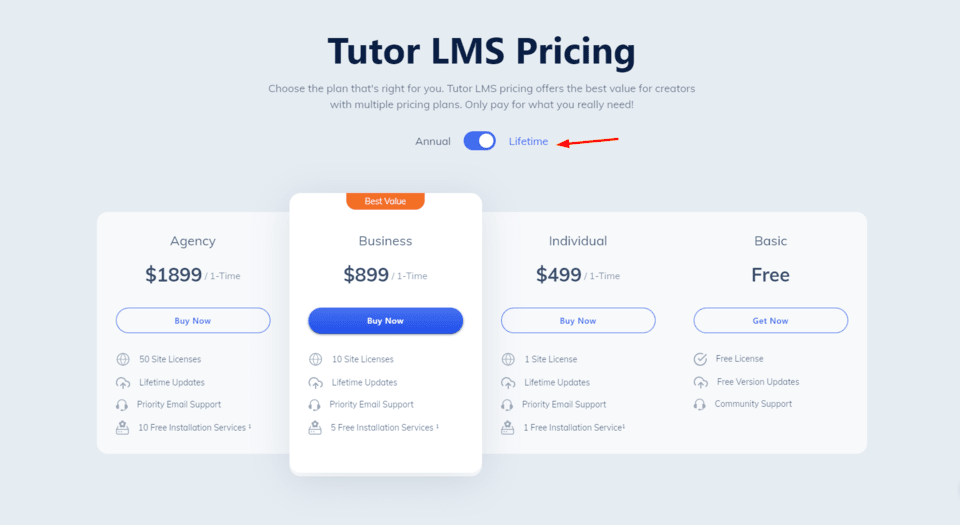
But It’s Lifetime Plans are quite expensive compared to Masterstudy, For only 1 site lifetime license you have to pay $499.
If you are still confused between these 2, here a detailed Comparison to checkout – Masterstudy LMS vs Tutor LMS: Which one is Best?
What should I look for in a wordpress lms plugin?
While selecting a WordPress LMS plugin, you should consider few factors such as ease of use, compatibility with other plugins and themes, payment gateway integration, course management features, and student progress tracking.
You should also check that LMS tool user reviews, what others are saying and ratings before making your final decision.
What are some of the top rated wordpress lms plugins?
Some of the top-rated WordPress LMS plugins include LearnDash, LifterLMS, Sensei, WP Courseware, and Teachable.
These plugins offer a variety of features such as course creation and management, student progress tracking, quizzes and assessments, and payment processing.
Final thoughts
The Best LMS Plugins for WordPress in 2025 each bring valuable strengths. Tutor LMS and Masteriyo are excellent choices for quick launches and low friction.
LifterLMS is purpose-built for memberships and long term recurring revenue. Sensei LMS is ideal for WooCommerce-first businesses.
LearnPress rewards those who want maximum control and low ongoing cost. Your final decision should reflect your monetization model, technical comfort, and whether you prioritize speed of creation or control over access flows.
Start with a small pilot on the free versions, run test payments, and validate the student experience before committing to a paid plan.
That approach keeps your upfront cost low and reduces the risk of needing to migrate later. If you manage multiple sites, consider lifetime options like Masteriyo or the LearnPress lifetime bundle to save over time.
FAQ: Best WordPress LMS Plugins
What is WordPress LMS plugin?
LMS plug in turn wordpress into an e-learning platform with functionalities to add courses, create quizzes, assignments, certificates, students management and accept payments with various payment methods.
Can WordPress be used as an LMS?
Yes, after installing a good LMS plug in you can transform your wordpress website into a complete learning management system (LMS).
How do I add LMS to WordPress?
To turn wordpress into LMS all you have to install a LMS plug in such as Masterstudy LMS or Tutor LMS
How much is LMS plugin WordPress?
You can use either Free plugin version or go with pro versions to use advanced features. Some plugins like Masterstudy LMS also offer affordable lifetime plans with just one-time payment.
Is the Masterstudy Theme included in the Masterstudy LMS Plugin price worth it?
Yes, definitely! The Masterstudy Theme is a great value-addition to the already feature-packed Masterstudy Plugin.
With this plugin, you can create a professional-looking website for your online courses without any additional cost.
Additionally, both the plugin and theme are designed to work seamlessly together, ensuring that you get the most out of your e-learning platform. So, for those on a budget who want a complete solution for their online teaching needs, the Masterstudy Plugin is an excellent choice!
is there a difference between free and paid versions of LMS plugins?
Yes, free lms plug-ins only give access to limited basic features, while paid premium versions provide access to all advanced add-ons.
Is there any disadvantages to using a WordPress LMS Plugin?
No, there is no disadvantage. in fact it only give advantage to transform your wordpress site into e-learning platform.
Is MasterStudy a free WordPress LMS?
Although Masterstudy is free but to use all premium features and add-ons you have to buy it’s pro version.
Which plugin is best for someone who wants to launch quickly and accept payments for free?
Tutor LMS and Masteriyo are the best picks for quick launches with free payment options. Both allow PayPal and Stripe in their free cores so you can test sales without buying add-ons.
Do any of these plugins include certificates in the free version?
Most do not. Certificates are commonly a Pro feature. Tutor LMS, Masteriyo, and Sensei typically move certificates behind paid tiers, while LearnPress offers certificate add-ons and LifterLMS includes certificates as part of paid bundles.
Which LMS is best for memberships and recurring revenue?
LifterLMS is optimized for memberships, bundles, and recurring billing. It offers strong access control and membership management features that are suited to subscription-based learning businesses.
Is Sensei LMS a good choice if I use WooCommerce?
Yes. Sensei LMS integrates naturally with WooCommerce, letting you sell courses as products. If your site already uses WooCommerce, Sensei reduces setup friction and uses familiar checkout flows.
Are lifetime licenses worth it for LMS plugins?
Lifetime licenses can be worth it for agencies or multi-site owners who plan to use the plugin for many years. LearnPress and Masteriyo offer lifetime options that often pay off over three or more years compared to annual renewals.
Can I migrate between these LMS plugins later?
Migration is possible but can be time consuming. Export student lists and course content where possible before switching. Consider portability when choosing a plugin and test export options early in the project.
Where can I read detailed comparisons and lifetime deal options?
For deeper comparisons and lifetime deal resources, check these pages: https://saas-guru.info/best-wordpress-lms-plugin/ and https://saas-guru.info/best-wordpress-lms-plugin-lifetime-deals/